pricing-plan
Pricing Plan
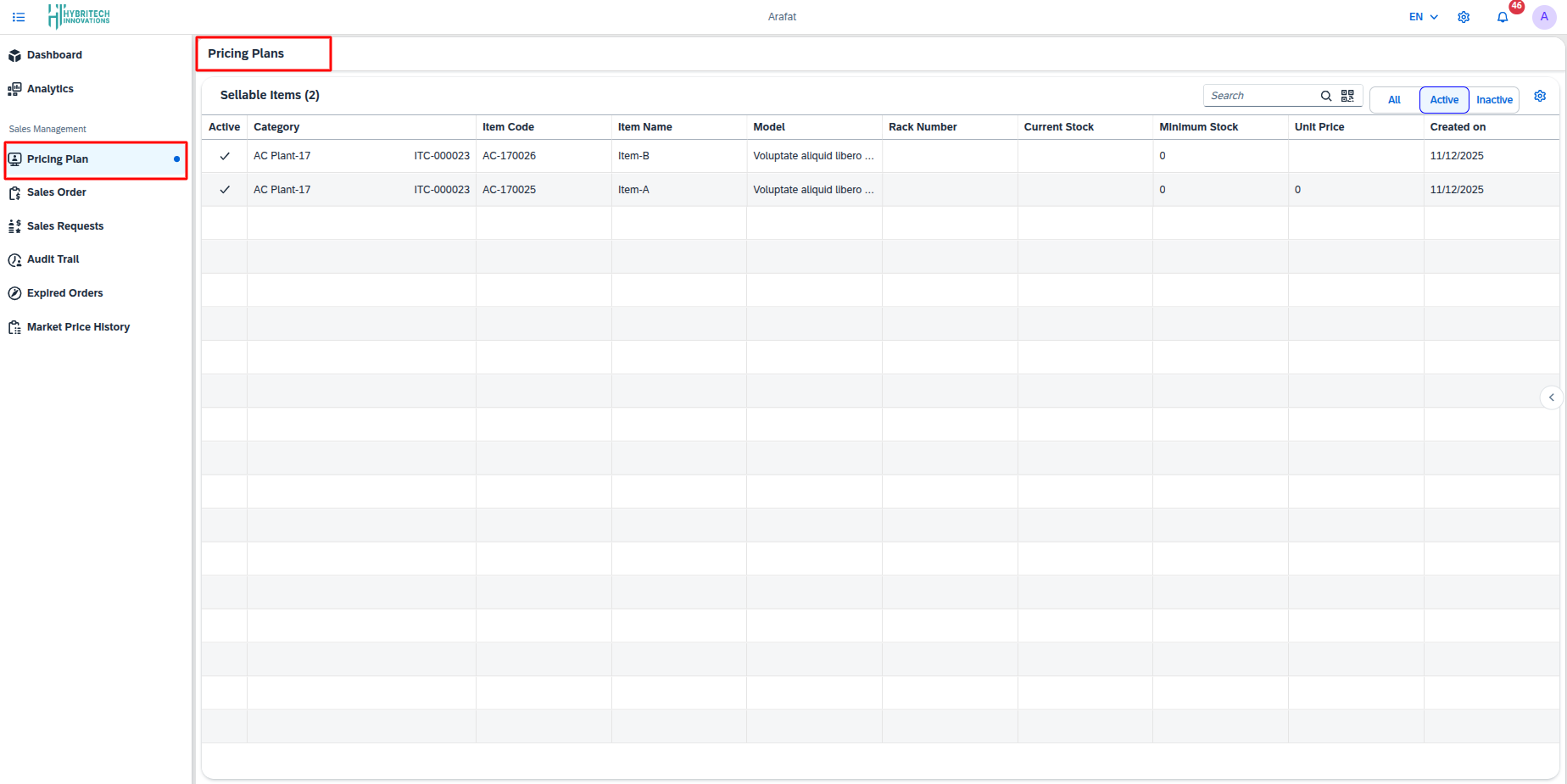
The Pricing Plan feature provides a centralized interface for managing inventory items available for sale. Accessible through Sales and Marketing > Pricing Plan > Sellable Items, it presents a comprehensive table listing all active items with key details including category, item code, item name, model, rack number, part number, current stock, minimum stock, unit price, and creation date. Users can easily search for specific items, filter by active or inactive status.
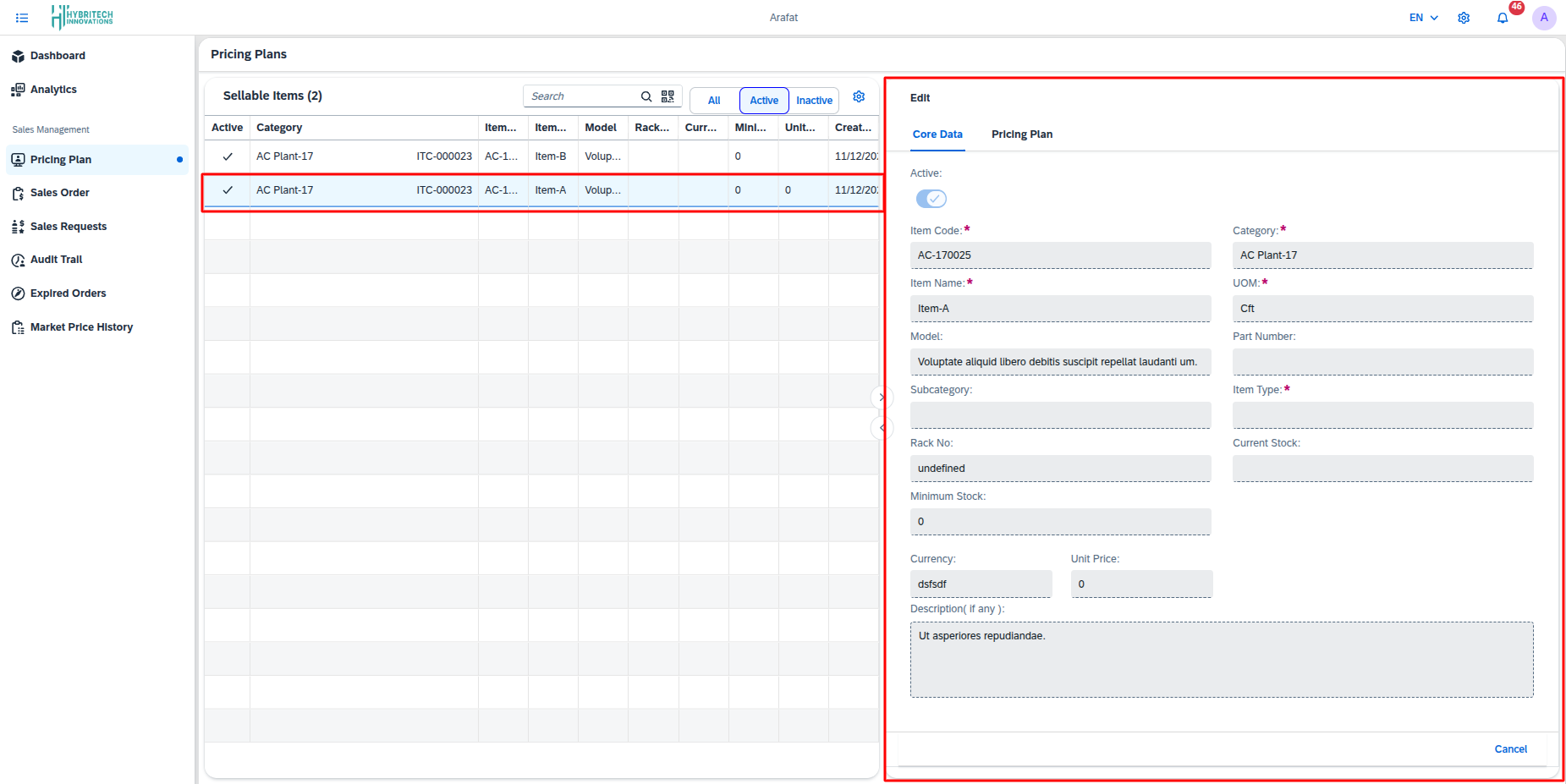
Upon selecting any item row, a detailed view opens with two primary tabs: Core Data and Pricing Plan. The Core Data tab displays essential item attributes, including category, item code, item name, unit of measure, model, subcategory, item type, rack number, current and minimum stock levels, currency, unit price, and optional description. This provides a clear and complete overview of the item's specifications and inventory status.
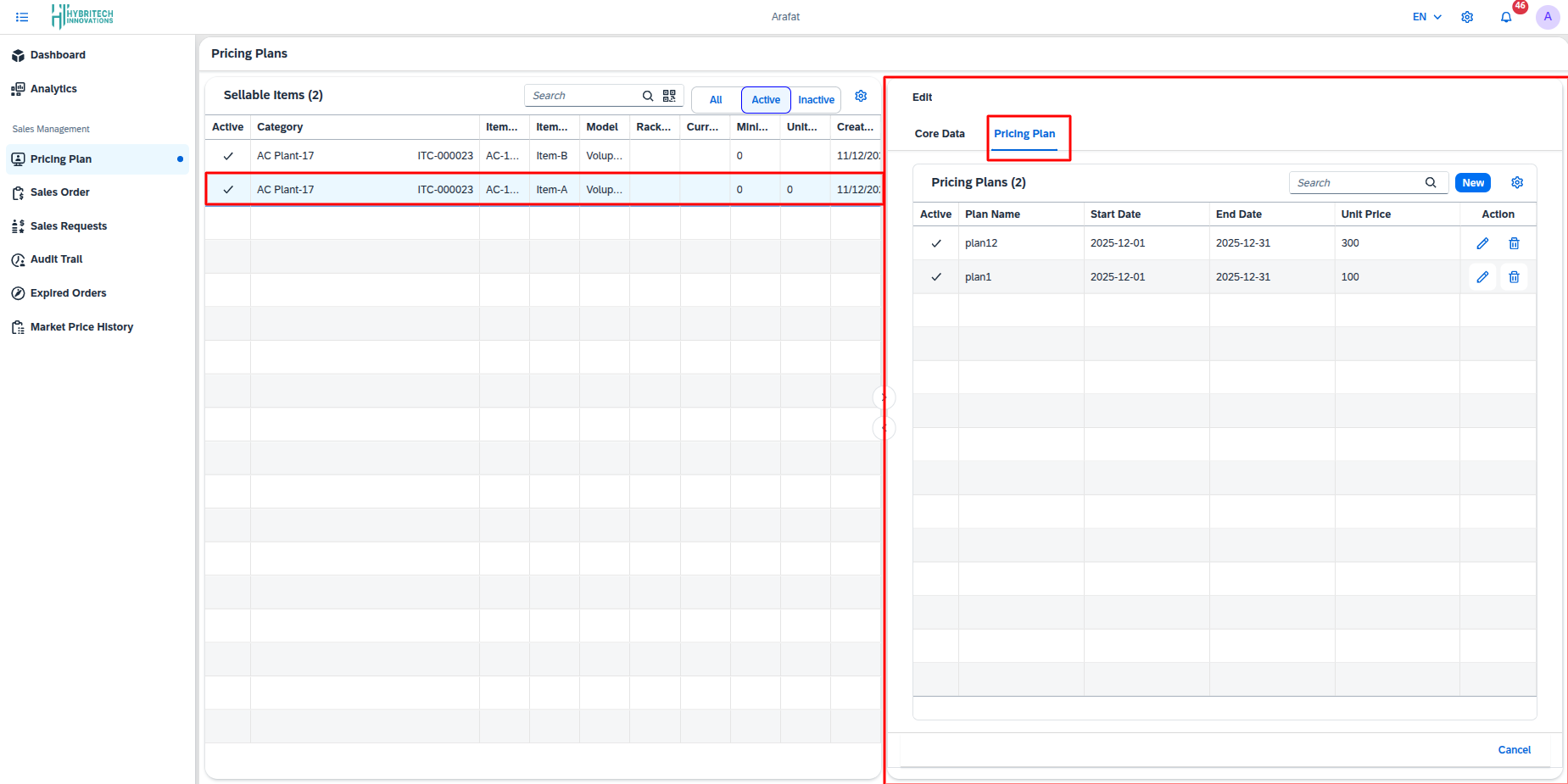
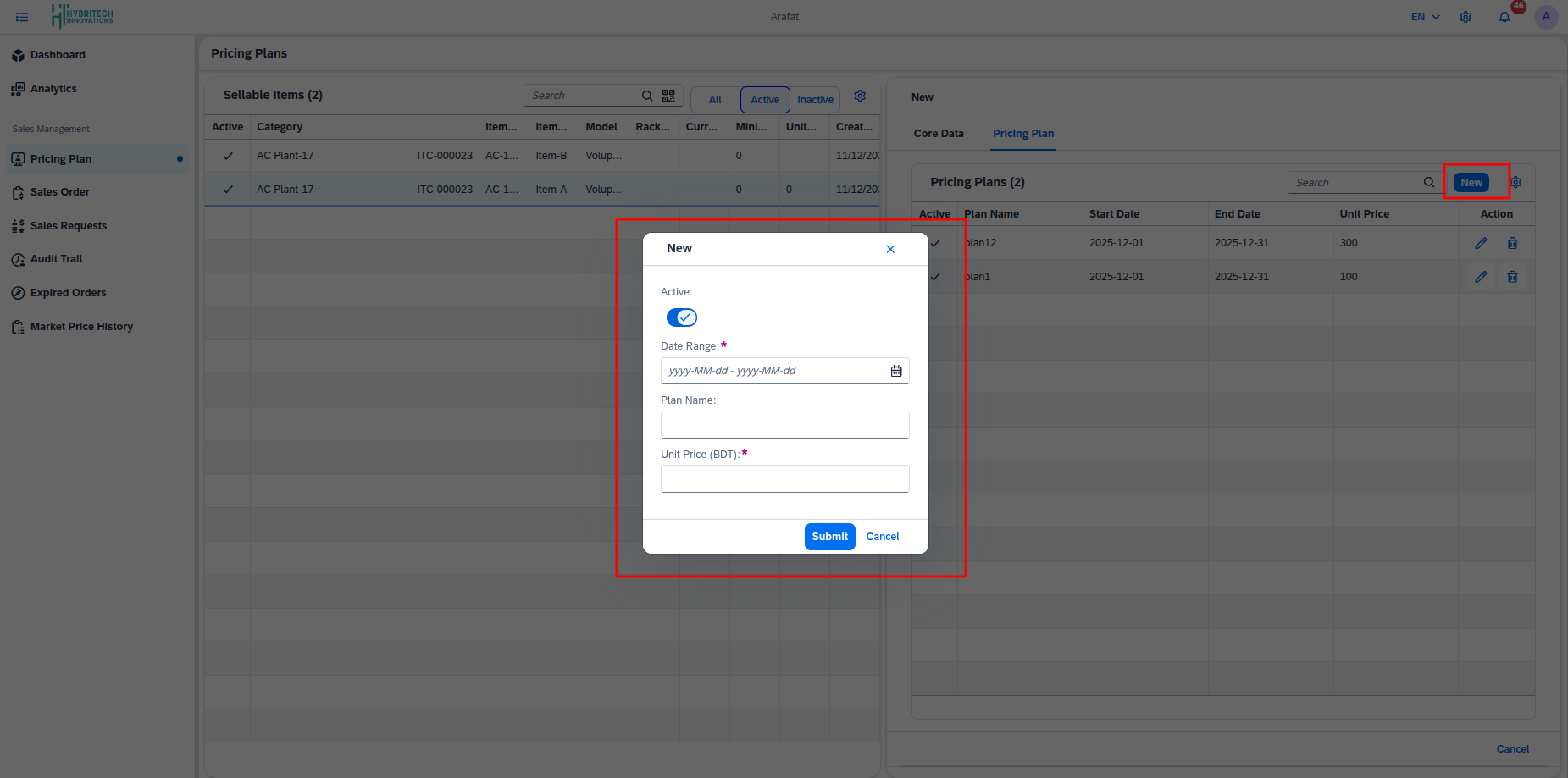
The Pricing Plan tab enables the configuration of time-based pricing for the selected item. It lists all existing pricing plans, showing plan name, start date, end date, unit price, and activation status. Users can create new pricing plans by defining a plan name, valid date range, and corresponding unit price, or modify and remove existing plans via dedicated action controls.
Features
- Product Listing: View a comprehensive list of all items available for sale.
- Stock Management: Monitor
Current StockandMinimum Stocklevels to ensure availability. - Status Control: Toggle items between Active and Inactive statuses.
- Search & Filter: Quickly find items by name, category, or code.
Actions
- Search: Use the search bar to filter the list by Item Name or Code.
- Filter by Status: Use the tabs to see All, Active, or Inactive items.
- Add Plan: [Configuration] Use the provided options to add new items or update pricing (typically managed via the 'New' or 'Add' button if available).
- QR Code: View/Generate QR codes for inventory tracking.